Learnings
|
Design Mindset Assignment
🗓️
2025
I’ve always been someone who expresses ideas visually. Most of my creative experience has been around things like UI design, photography, and animation—areas where I can see what I’m creating, frame by frame, pixel by pixel. So, when I had to make something related to audio, it felt like stepping into an entirely new world.

The only names I’d ever heard in music production were FL Studio and Soundtrap. One of my friends has been producing music for a while using FL Studio, and he keeps showing me his tracks and explaining what each button does. It all sounded exciting, so I decided to give it a try myself.
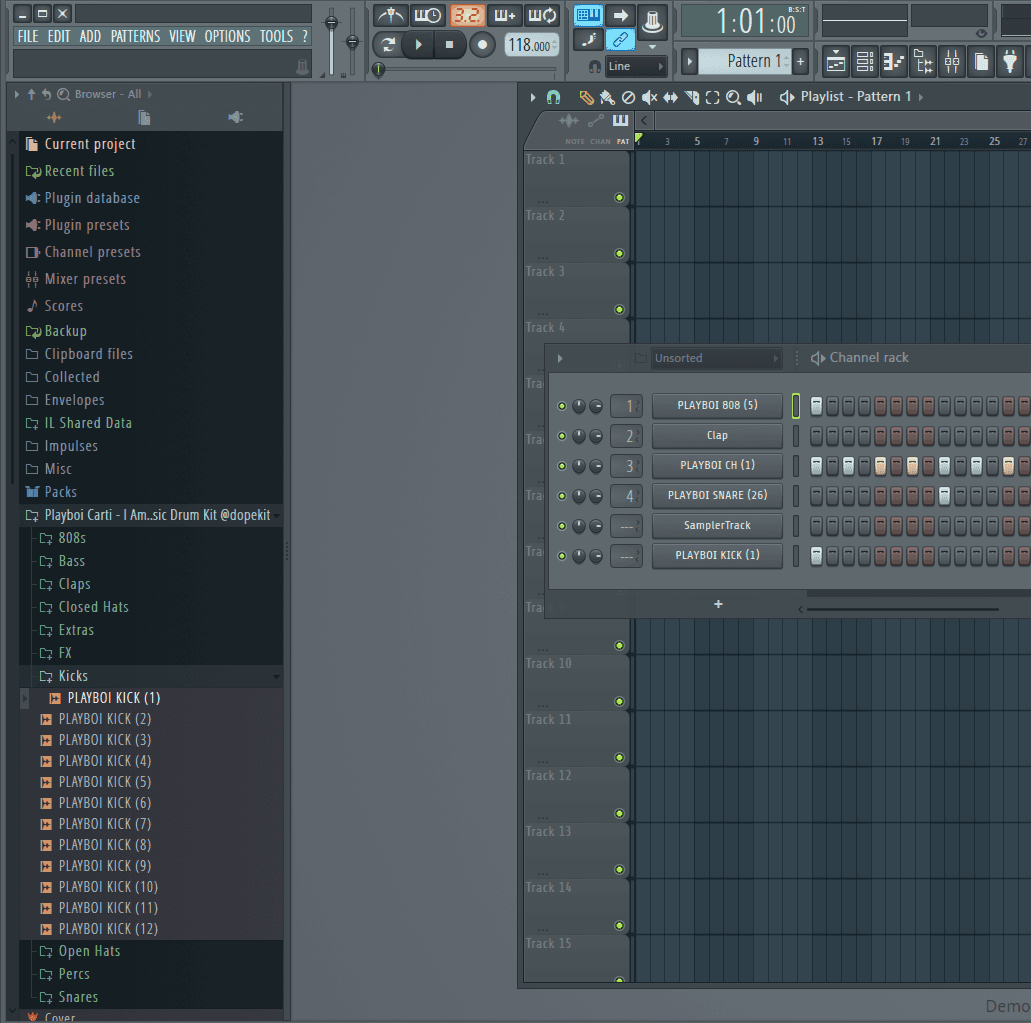
FL Studio Home Screen
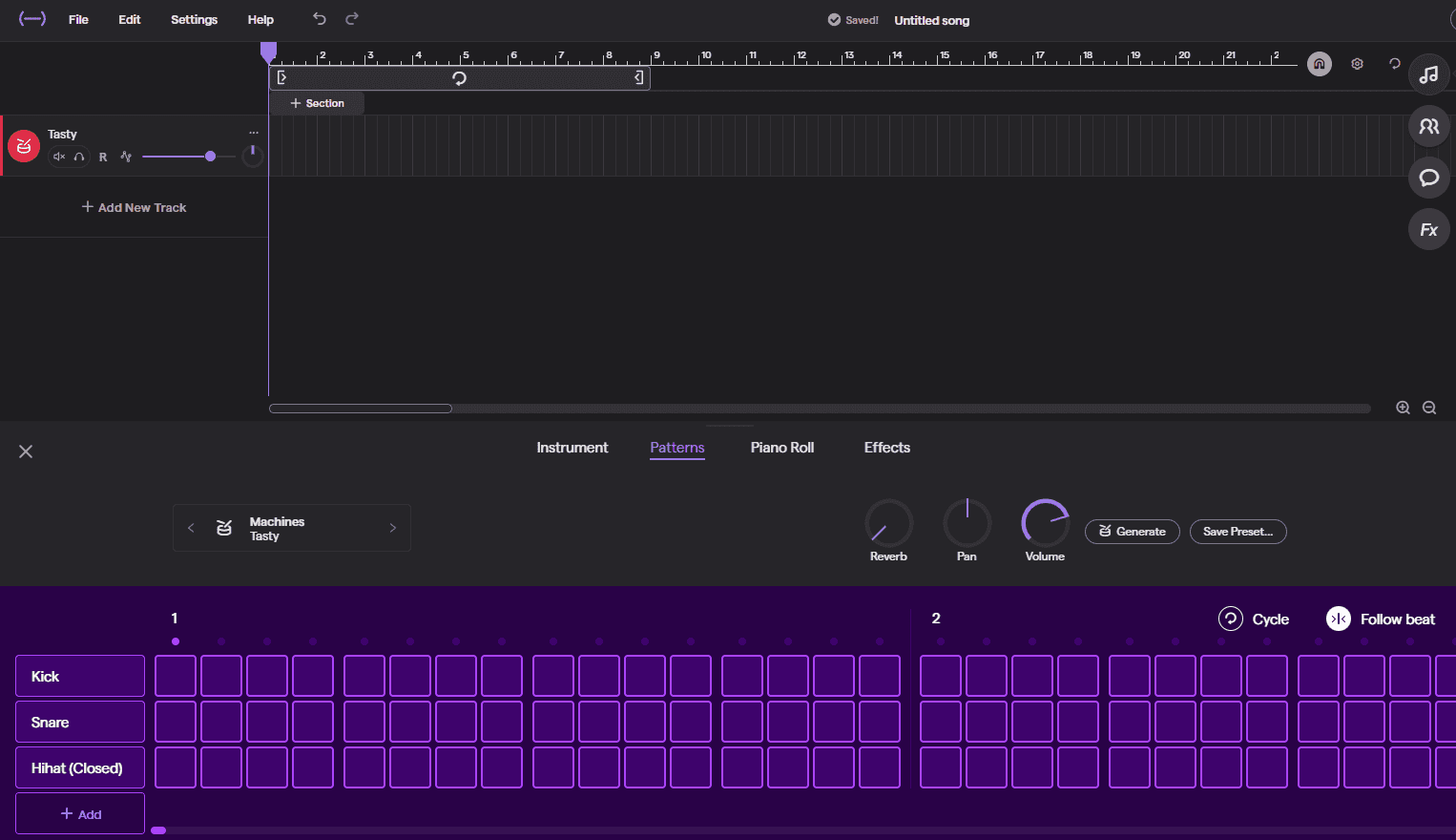
Soundtrap Home Screen
Trying Out FL Studio
My first experience with FL Studio was both fascinating and frustrating. I asked my friend to show me his project file so I could learn by exploring how everything was structured. He even did a small live demonstration—layering instruments, adjusting tempo, and showing automation.
But once I tried it on my own, I realized how complex it actually was. The interface looked like the cockpit of a spaceship. Every click opened up another window full of knobs, sliders, and panels I didn’t understand. I managed to put together a small track after a few hours of trial and error, and just when I started to feel proud, I discovered that my demo version wouldn’t let me reopen saved files. That was a bit of a heartbreak.
That experience made me appreciate how powerful FL Studio can be, but I also knew I needed something simpler to start with.
Switching to Soundtrap
That’s when I found Soundtrap, and it immediately felt much more approachable. The interface was cleaner, the features were clearly labeled, and the learning curve wasn’t steep. I didn’t feel lost. Instead of reading tutorials, I started experimenting directly—clicking around, dragging loops, testing sounds, and gradually figuring out what each tool did.
I think that freedom to explore without pressure made the whole experience a lot more enjoyable.
Making My First Beat
Once I got comfortable with the basics, I decided to make a beat from scratch. I opened the Pattern Beat Maker, which reminded me a bit of a pixel grid where each square represented a sound in time. The idea of visually mapping rhythm was interesting because it almost felt like animation timing—except now I was working with sound instead of visuals
Here’s what I did step by step:
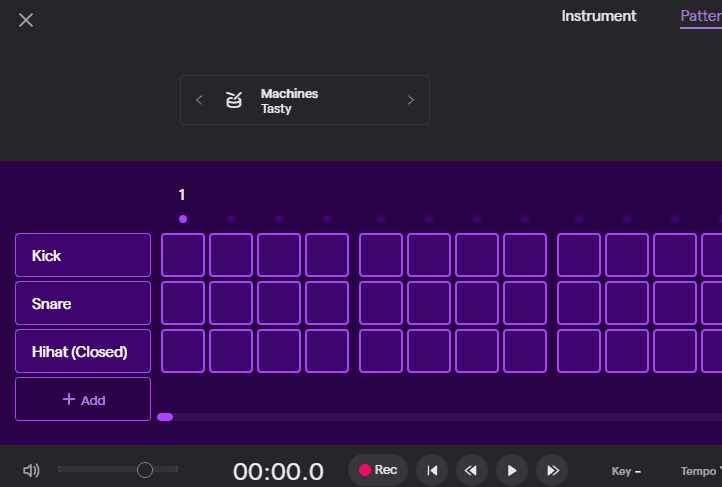
Opened the Pattern Beat Maker and selected a drum kit.
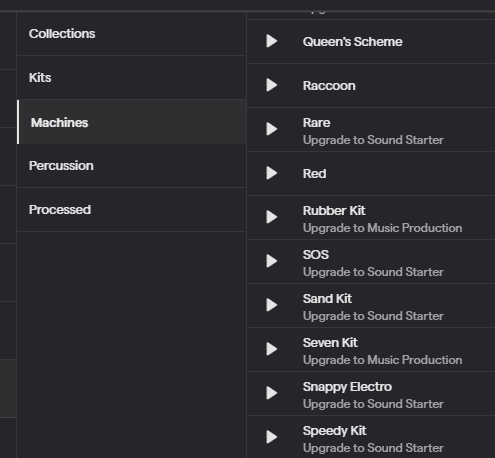
Tried a few different ones until I found something that had an ethnic, Middle Eastern feel.
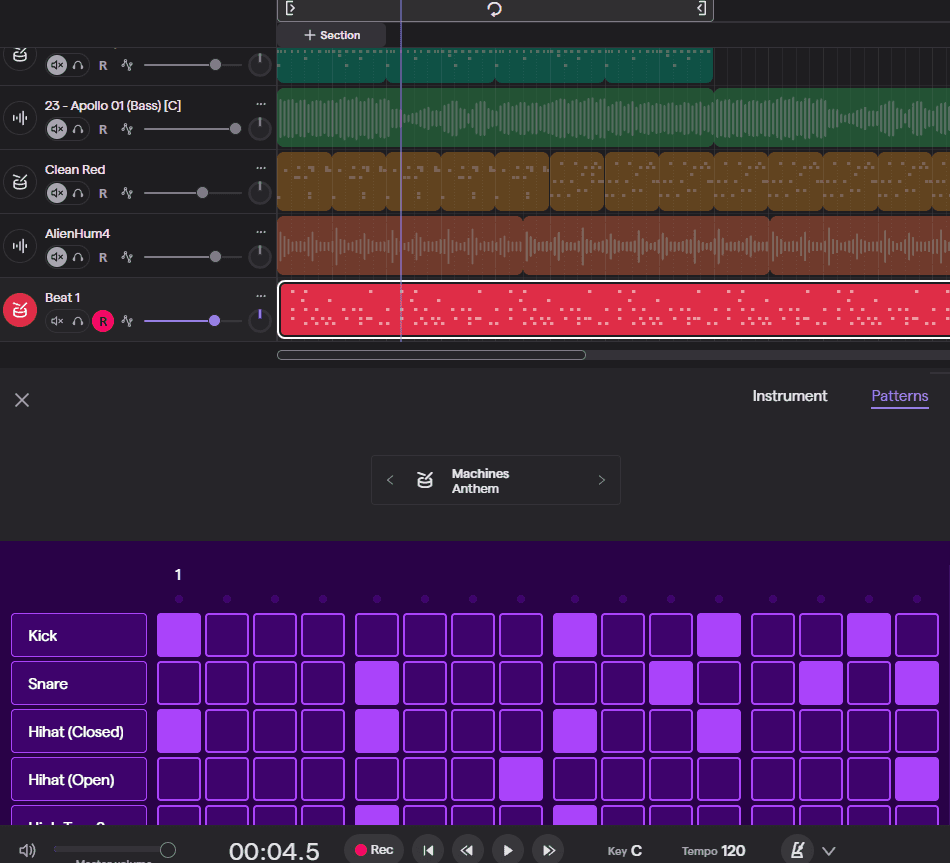
Placed kicks, and claps or snares to give it structure.
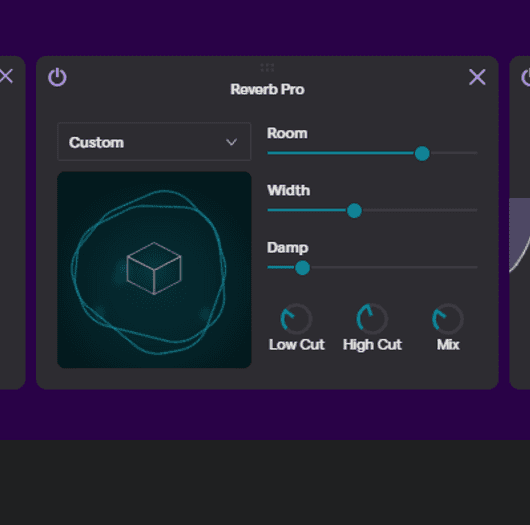
Added certain effects that would make it sound like the drums are being played in a hall, giving it an echo-ish sound.
The whole process of layering sounds was really satisfying. Even though I had no background in music, it started making sense once I visualized it like motion design—each sound playing its part in a sequence, just like keyframes in animation.
When I played it back for the first time, it didn’t sound like much, but after tweaking the rhythm and adjusting volume levels, it began to come together. It felt like I was sculpting sound.
Here's what I ended up creating in the end
Experimenting With Voice Sampling
After finishing the beat, I wanted to make it more personal. I thought it would be cool to add a voice sample—something unique that would tie the track to my own experience.
So, I asked one of my friends, who speaks Turkish, to say a few lines in his language. I recorded it using Soundtrap’s Voice & Microphone track. The recording was clear, and it instantly gave the project a sense of character.
My idea was to turn his speech into a melody by chopping and pitching different parts. I used Soundtrap’s autotune and pitch correction to adjust the notes, and then tried rearranging small clips of the voice to make a rhythmic pattern out of it.
It didn’t blend perfectly with the drums, so I eventually decided not to include it in the final mix. But even though it didn’t “work” musically, I learned a lot about how sampling works—how a simple voice clip can be stretched, tuned, and transformed into an entirely different element of a song.
Here’s a quick version of how you can do it too:
Click “Add New Track” and choose Voice & Microphone.
Record your voice or import a voice clip.
Use autotune or pitch correction to give it a melodic tone.
Split the audio clip into smaller pieces and rearrange them to match your beat.
Add effects like reverb, delay, or EQ to make it sound polished.
It’s surprisingly fun—something you can do even casually with friends when you’re bored. You can take any random sound or voice and turn it into something musical.
What I learned
Working on this project taught me that creating music isn’t about being perfect or technical—it’s about experimenting, layering, and trusting your ear. Just like visual design, it’s about composition, balance, and flow, only here, those elements are in sound rather than form or color.
Soundtrap gave me the space to experiment freely. The more I explored, the more I realized that sound design and visual design share a common language: rhythm, contrast, and mood.
Even though my final track is simple, it’s meaningful to me because it represents the first time I built something entirely out of sound.